-
Posts
47 -
Joined
-
Last visited
Content Type
Profiles
Forums
Events
Articles
Store
Everything posted by ImBrokz
-
The Marvel cheat has been updated for the latest patch. You can play with it again now. There are no new features. I'm currently in the testing phase for the aimbot
- 1 reply
-
- 1
-
-
There are some for Valerant, so it must work with it lol
-
Use a temp spoofer if you've ever been banned
-
If you've been banned because of your HWID, the best thing to do is use a permanent simulator, but if you haven't been banned for your HWID and want to avoid getting banned, use a temporary HWID spoofer. π
-
Okay, thanks for the explanation. I'm currently developing a temp spoofer.
-
What kind of aimbot are you looking for?
-
Detailed Explanation of All Features GOS for Marvel Rivals
ImBrokz replied to ImBrokz's topic in General Features
When I tested the cheat, and I'm still using it right now, I only use DPS characters like Iron Man, Hela, and Star-Lord. -
Please feel free to share your suggestions regarding items you think should be added to the cheat.
-
Please feel free to share your suggestions regarding items you think should be added to the cheat.
-
Rust, Ow2, Rl, Warzone, Apex
-
Detailed Review of All Features GOS for CS2
ImBrokz replied to muraioshino's topic in Testimonials and Reviews
Thanks for the great review. -
Detailed Explanation of All Features GOS for Marvel Rivals
ImBrokz replied to ImBrokz's topic in General Features
We have a good injection method, People use aimbots, even though using an ESP already gives you a big advantage -
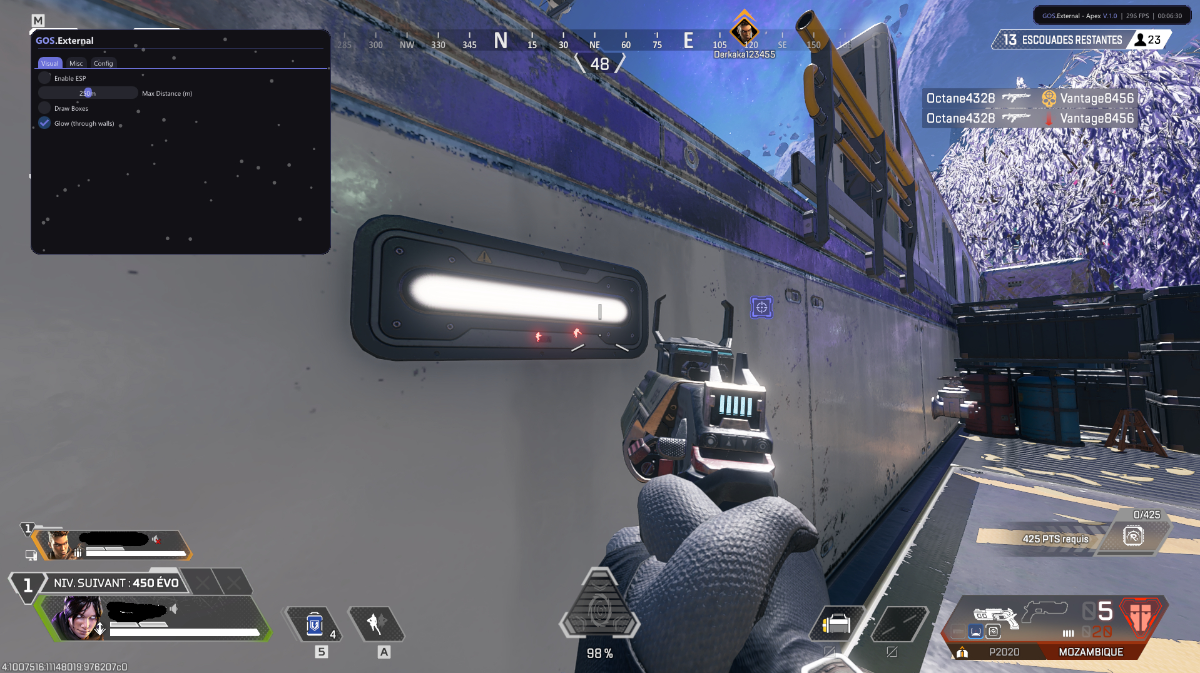
GOS.Internal FOR MARVEL RIVALS (Available on the GOS Store) Press INSERT to open or close the menu. The menu has 4 tabs: Aimbot, Visuals, Misc, Configs. π― AIMBOT Enabled Turns the aimbot on or off. Coming Soon Full aimbot system scheduled for next update. Will include FOV, smoothness, target selection, and more. ποΈ ESP / VISUALS Enabled Master switch for all ESP features. Box ESP Draws a rectangle around each enemy player. Choose between "Full" or "Corners" style. Color is fully customizable with RGBA picker. Health Bar Displays the current HP of each enemy with dynamic colors. Gradient transitions: Green β Yellow β Orange β Red. Includes visual markers at 50%, 30%, and 10% health. Shows exact HP values when close (<100m). Pulsing glow effect on critical health. Ultimate Bar Shows the ultimate ability charge percentage. Purple bar with flash animation when ready (100%). Displays exact percentage when close (<200m). Snaplines Draws lines from the bottom of your screen to each target. Enhanced visibility with shadow layer. Distance Shows how far away the enemy is in meters. Only displays when close (<200m). Hero Name Displays the Marvel hero character name above their head. Only displays when close (<200m). Show Teammates Extends all ESP features to your own teammates as well. ESP Color Full RGBA color picker for all ESP elements. π·οΈ WATERMARK Enabled Small overlay in the top-right corner showing: - GOS.Internal branding - Current FPS - Current time (HH:MM:SS format) Can be disabled in Misc settings. β¨οΈ MISC Unload Key Press END to safely unload the cheat from memory. βοΈ CONFIG SYSTEM Save Saves all current settings under a custom profile name. Load Restores all settings from a previously saved profile instantly. Delete Permanently removes a saved config file. Open Folder Quick access to the config directory in File Explorer. Multiple profiles supported β create separate configs for different playstyles. All configs are stored in: %APPDATA%\gamingonsteroids.com\marvel_rivals\configs\ GOS.Internal - Marvel Rivals V.1.0
-
I've made a small update to the settings. Once Feretorix releases the update, the settings will no longer be in the same place. Old = C:\Users\namecomputer\AppData\Roaming\gamingonsteroids.com\configs New = C:\Users\namecomputer\AppData\Roaming\gamingonsteroids.com\CSGO2\configs Why are these changes being made? π€
-
Yes, that's normal
-
yes I'll add them soon
-
Version 1.01 I just made a small update to fix a crash that was happening about once every three times, and I fixed the weapon icons.
-
GOS.Internal FOR CS2 (Available on the GOS Store) Press INSERT to open or close the menu. The menu has 5 tabs: Aimbot, Visuals, Items, Misc, Configs. π― AIMBOT Enabled Turns the aimbot on or off. Key Sets the activation key. Hold to activate, or run always-on. FOV Controls the detection angle around your crosshair. Lower values are tighter and look more legit. Smoothness Smooths the aim movement toward the target. Higher values create more human-like aiming behavior. Target Closest Locks onto the enemy closest to your crosshair position. Visible Only Only targets enemies that are directly visible, not behind walls. Draw FOV Displays the aimbot FOV circle on screen. Useful for adjusting and calibrating your settings. β‘ TRIGGERBOT Enabled Activates the triggerbot system. Key Sets the triggerbot activation key. Delay Min / Max (ms) Adds a randomized reaction delay before firing. Default range is 30ms to 80ms for natural-looking behavior. Cooldown (ms) Minimum wait time between shots after firing. Default is 120ms. Team Check Prevents the triggerbot from firing at teammates. ποΈ ESP / VISUALS Enabled Master switch for all ESP features. Box ESP Draws a rectangle around each enemy player. Color is fully customizable. Skeleton ESP Draws the bone structure of enemies through walls. Shows exact body position with customizable color. Health Displays the current HP of each enemy. Armor Displays the current armor value of each enemy. Distance Shows how far away the enemy is in meters. Name Displays the Steam name of each enemy above their head. Weapon Shows the weapon the enemy is currently holding. Show Teammates Extends all ESP features to your own teammates as well. π« DROPPED WEAPON ESP Enabled Highlights weapons dropped on the ground. Name Shows the weapon name above the dropped gun. Distance Shows how far the dropped weapon is from you. π£ BOMB TIMER Enabled When the bomb is planted, a panel appears showing: - Which site it is planted on (A or B) - A countdown bar that changes from green to red - The exact time remaining in seconds - Defuse status and whether the defuser will succeed in time The panel is draggable β open the menu and drag it anywhere. π₯ SPECTATOR LIST Enabled Shows a live list of players currently spectating you. Draggable panel, repositionable freely. π·οΈ WATERMARK Enabled Small overlay in the top-right corner showing: - GOS.Internal branding - Current FPS - Current time (HH:MM:SS) Can be disabled in Misc settings. π BUNNYHOP β οΈ Risky Enabled Automatically jumps at the perfect moment while holding Space. Maintains speed without requiring manual timing. β CUSTOM CROSSHAIR Enabled Draws a custom crosshair overlay regardless of in-game settings. Size Controls the length of each crosshair line. Gap Adjusts the space between the center and each line. Thickness Controls the line width. Color Full RGBA color picker for the crosshair. Center Dot Adds a dot in the middle of the crosshair. β¨οΈ MISC Hotkeys Panel Small on-screen widget showing active features and keybinds. Draggable and toggleable with a custom key. Menu Keybind Change the key used to open/close the menu. Default is INSERT. π¨ SKIN CHANGER Enabled Activates the skin changer system. Note: skins are client-side only β only you see them. Category Browse by weapon type: Pistols, SMGs, Rifles, Snipers, Heavy, Knives, Gloves. Weapon Grid Click any weapon to open its skin browser. Each slot displays a thumbnail icon of the weapon. Skin Browser Grid of available skins with preview images and rarity color bars. Click any skin to apply it instantly. Show All Skins Toggle to display every skin available instead of filtered results. Default Removes the applied skin and restores the original weapon appearance. βοΈ CONFIG SYSTEM Save Saves all current settings under a custom profile name. Load Restores all settings from a previously saved profile instantly. Delete Permanently removes a saved config file. Multiple profiles supported β create separate configs for different playstyles. All configs are stored in: %APPDATA%\gamingonsteroids.com\CSGO2\configs π AUTO-UPDATE GOS.Internal resolves all game offsets automatically at runtime. This means after a CS2 update, the cheat does not need to be manually patched. It scans and detects the correct memory addresses every time it is injected, adapting to new game versions without any action required from the user. You will never need to wait for a manual offset update after a CS2 patch.
-
Ue6 = 2028 Lol you have the time Heisa
-
Ue6 = 2028 lol
-
Thanks for sharing, @Feretorix. I'm really looking forward to itβI've been using Gos RL for two years now.
-
I think those who were using Gos Rl before the EAC update would like to hear how you're progressing with the update. π
-
We'd like to know how things are going
-
I think he should add a spoofer at the same time to avoid getting our PC banned, and I hope the prices will stay the same as before