
GoS:Apex - 1 Month
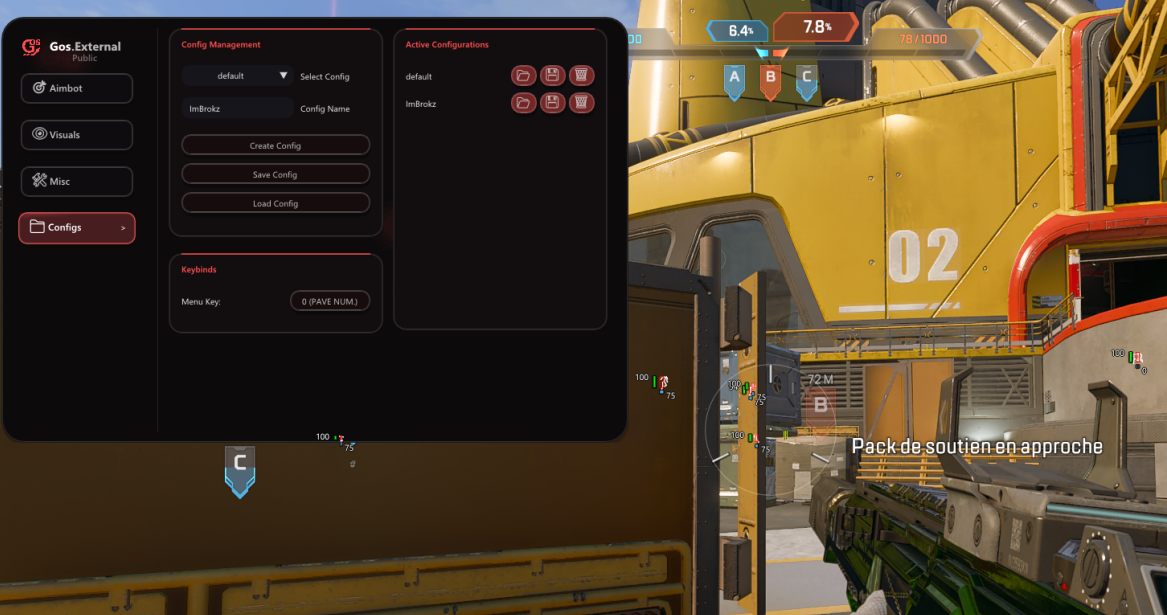
The 1 Month option provides extended access to GoS:Apex for players who want configurable combat information and aim controls across regular Apex Legends sessions. The menu groups ESP, aimbot, display, performance and profile settings so each setup can be adjusted without mixing unrelated options.
Visual settings are intended to make nearby combat information easier to read. You can choose which indicators appear, how far they render and whether the display should focus on boxes, player status or directional information. Aim settings are separate, with controls for field of view, smoothing, target bone and activation behavior.
Configurable ESP information
Enable or disable ESP from the main visual controls. Set a maximum render distance from 1 to 500 metres. Choose full or corner player boxes. Show skeleton, health, shield, player name and distance information. Add snaplines for directional awareness. Combine only the elements useful for your preferred screen layout. Aimbot controls
The aimbot panel includes adjustable FOV and smoothing rather than one fixed behavior. Target selection can use the head, body or feet, and visible-only filtering can be enabled when required. A configurable keybind controls activation, while the optional FOV circle shows the active targeting area on screen.
Adjustable FOV and smooth values. Head, body or feet target-bone selection. Visible-only target filtering. Custom activation key. Optional FOV circle. Display, performance and profiles
Miscellaneous controls include watermark visibility, anti-capture support, VSync and game or render FPS settings. Language and accent-color options help personalize the interface. Config profiles can be saved for different visual or aim setups, making it easier to return to a known configuration after testing changes.
Why choose 1 Month access?
This duration is intended for regular users who want time to tune several profiles and adapt settings across more than a few sessions. The product contains the same GoS:Apex feature set as the shorter option; the difference is the access period.
Before purchasing
Review current status and update notes before buying. Game updates can affect compatibility, and using third-party software may carry account risk or conflict with the game's rules. Anti-capture is a display feature, not a promise of undetectability, and no tool can guarantee zero risk.
Read the GoS:Apex release topic, feature notes and current updates.
About GoS:Apex - 1 Month
GoS:Apex visual, aim and configuration controls.GoS:Apex for Apex Legends - 1 Month
The 1 Month option provides extended access to GoS:Apex for players who want configurable combat information and aim controls across regular Apex Legends sessions. The menu groups ESP, aimbot, display, performance and profile settings so each setup can be adjusted without mixing unrelated options.
Visual settings are intended to make nearby combat information easier to read. You can choose which indicators appear, how far they render and whether the display should focus on boxes, player status or directional information. Aim settings are separate, with controls for field of view, smoothing, target bone and activation behavior.
Configurable ESP information
- Enable or disable ESP from the main visual controls.
- Set a maximum render distance from 1 to 500 metres.
- Choose full or corner player boxes.
- Show skeleton, health, shield, player name and distance information.
- Add snaplines for directional awareness.
- Combine only the elements useful for your preferred screen layout.
Aimbot controls
The aimbot panel includes adjustable FOV and smoothing rather than one fixed behavior. Target selection can use the head, body or feet, and visible-only filtering can be enabled when required. A configurable keybind controls activation, while the optional FOV circle shows the active targeting area on screen.
- Adjustable FOV and smooth values.
- Head, body or feet target-bone selection.
- Visible-only target filtering.
- Custom activation key.
- Optional FOV circle.
Display, performance and profiles
Miscellaneous controls include watermark visibility, anti-capture support, VSync and game or render FPS settings. Language and accent-color options help personalize the interface. Config profiles can be saved for different visual or aim setups, making it easier to return to a known configuration after testing changes.
Why choose 1 Month access?
This duration is intended for regular users who want time to tune several profiles and adapt settings across more than a few sessions. The product contains the same GoS:Apex feature set as the shorter option; the difference is the access period.
Before purchasing
Review current status and update notes before buying. Game updates can affect compatibility, and using third-party software may carry account risk or conflict with the game's rules. Anti-capture is a display feature, not a promise of undetectability, and no tool can guarantee zero risk.
Read the GoS:Apex release topic, feature notes and current updates.
There are no reviews to display.