
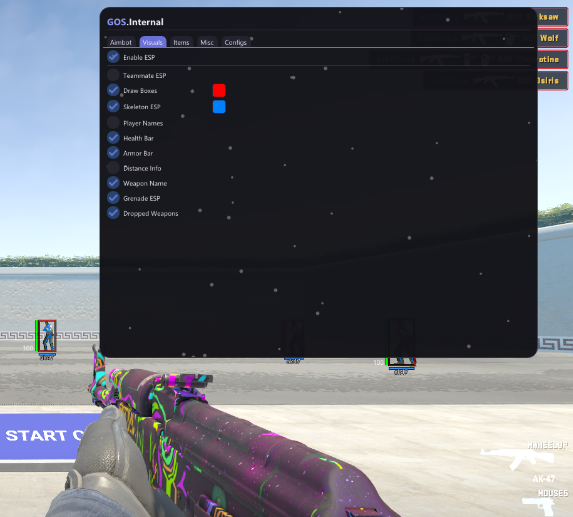
GoS:CS2 - 1 Week
GoS:CS2 - 1 Week is the short-term Counter-Strike 2 access option for users who want to test the GamingOnSteroids CS2 tool before choosing a longer pass. It includes the same core feature direction: aimbot, triggerbot, ESP visuals, radar awareness, item options, misc settings and saved configs.
The weekly pass is designed for testing. Use it to check the menu, try the demoed CS2 features, adjust FOV and smoothing, review ESP options, test triggerbot timing and decide whether the 1 month pass is better for regular sessions.
What Is Included
GoS:CS2 uses a menu opened with INSERT and separates settings into Aimbot, Visuals, Items, Misc and Configs tabs. This makes it easier to find the exact option you want instead of scrolling through one long mixed settings list.
The 1 week product gives you short-term access to the GoS:CS2 feature set. The main difference from the monthly product is access duration, not the type of product page features described here.
Main Features
Aimbot options for activation, FOV, smoothing, closest-target logic and visible-only targeting. Triggerbot controls for keybind, delay, cooldown and team checks. ESP visuals for boxes, skeletons, health, armor, distance, names and weapon display. Radar and awareness options for faster enemy reads. Item and skin-related tools where supported by the current build. Config profiles for saving, loading and deleting separate setups. Why Start With 1 Week
The 1 week pass is the lowest-commitment way to try GoS:CS2. It is useful if you want to see how the visuals look, how the aim settings feel, how the triggerbot timing behaves and whether the config system fits the way you play.
It is also a good choice if you only need short-term CS2 access. If you already know you will use the tool regularly, the 1 month pass is usually the stronger value.
Setup Focus
During the first week, the most important thing is to build a clean setup. Start with the menu structure, tune the aimbot FOV and smoothing, choose the ESP elements you actually want to see, then save your preferred profile. Keeping the setup readable is usually better than turning on every visual option at once.
For more detail on each tab and feature group, read the GoS:CS2 detailed feature explanation.
About GoS:CS2 - 1 Week
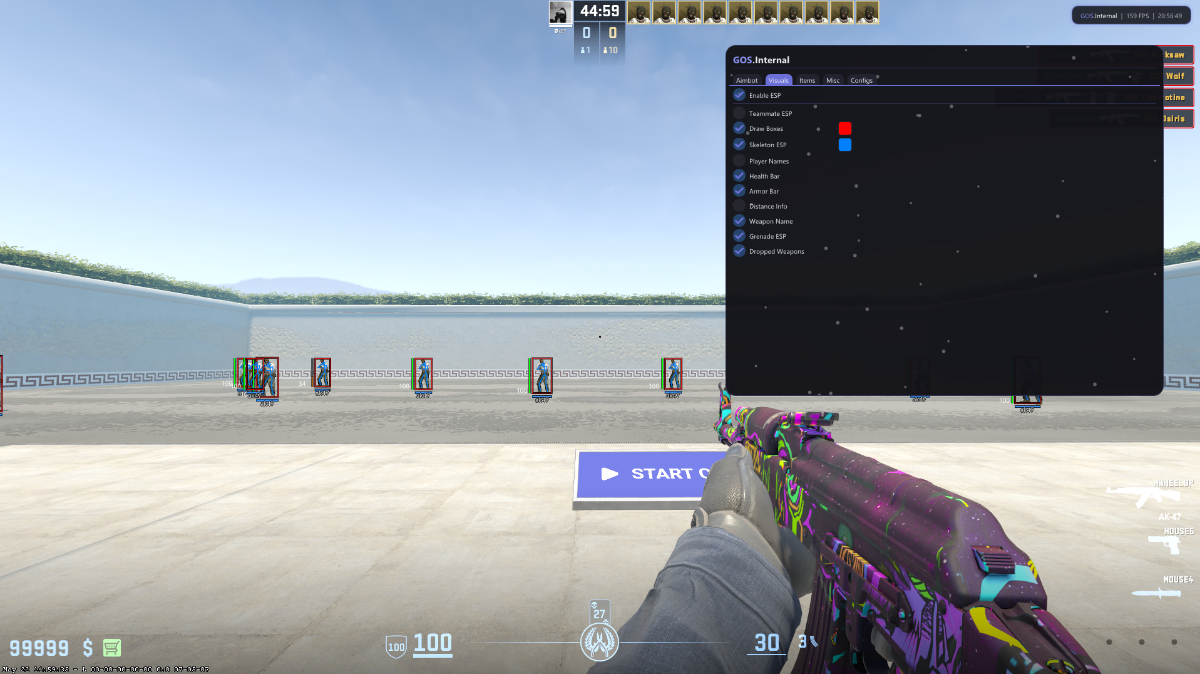
GoS:CS2 Counter-Strike 2 Cheats - 1 Week Access
GoS:CS2 - 1 Week is the short-term Counter-Strike 2 access option for users who want to test the GamingOnSteroids CS2 tool before choosing a longer pass. It includes the same core feature direction: aimbot, triggerbot, ESP visuals, radar awareness, item options, misc settings and saved configs.
The weekly pass is designed for testing. Use it to check the menu, try the demoed CS2 features, adjust FOV and smoothing, review ESP options, test triggerbot timing and decide whether the 1 month pass is better for regular sessions.
What Is Included
GoS:CS2 uses a menu opened with INSERT and separates settings into Aimbot, Visuals, Items, Misc and Configs tabs. This makes it easier to find the exact option you want instead of scrolling through one long mixed settings list.
The 1 week product gives you short-term access to the GoS:CS2 feature set. The main difference from the monthly product is access duration, not the type of product page features described here.
Main Features
- Aimbot options for activation, FOV, smoothing, closest-target logic and visible-only targeting.
- Triggerbot controls for keybind, delay, cooldown and team checks.
- ESP visuals for boxes, skeletons, health, armor, distance, names and weapon display.
- Radar and awareness options for faster enemy reads.
- Item and skin-related tools where supported by the current build.
- Config profiles for saving, loading and deleting separate setups.
Why Start With 1 Week
The 1 week pass is the lowest-commitment way to try GoS:CS2. It is useful if you want to see how the visuals look, how the aim settings feel, how the triggerbot timing behaves and whether the config system fits the way you play.
It is also a good choice if you only need short-term CS2 access. If you already know you will use the tool regularly, the 1 month pass is usually the stronger value.
Setup Focus
During the first week, the most important thing is to build a clean setup. Start with the menu structure, tune the aimbot FOV and smoothing, choose the ESP elements you actually want to see, then save your preferred profile. Keeping the setup readable is usually better than turning on every visual option at once.
For more detail on each tab and feature group, read the GoS:CS2 detailed feature explanation.
There are no reviews to display.